
 English
 русский
 Español
 Português
 عربى
عربى


How Fiber Optic Box-FTTH and Terminal Box Designs Improve Network Efficiency
Why Fiber Enclosure Design Determines FTTH Network Stability
Every fiber-to-the-home rollout depends on more than the quality of the cable itself. The enclosures that protect splice points, terminate drop cables, and route fiber through walls or poles have a direct impact on signal loss, maintenance time, and long-term durability. A poorly designed box introduces bend stress, dust ingress, or moisture, all of which degrade optical performance over months rather than years.
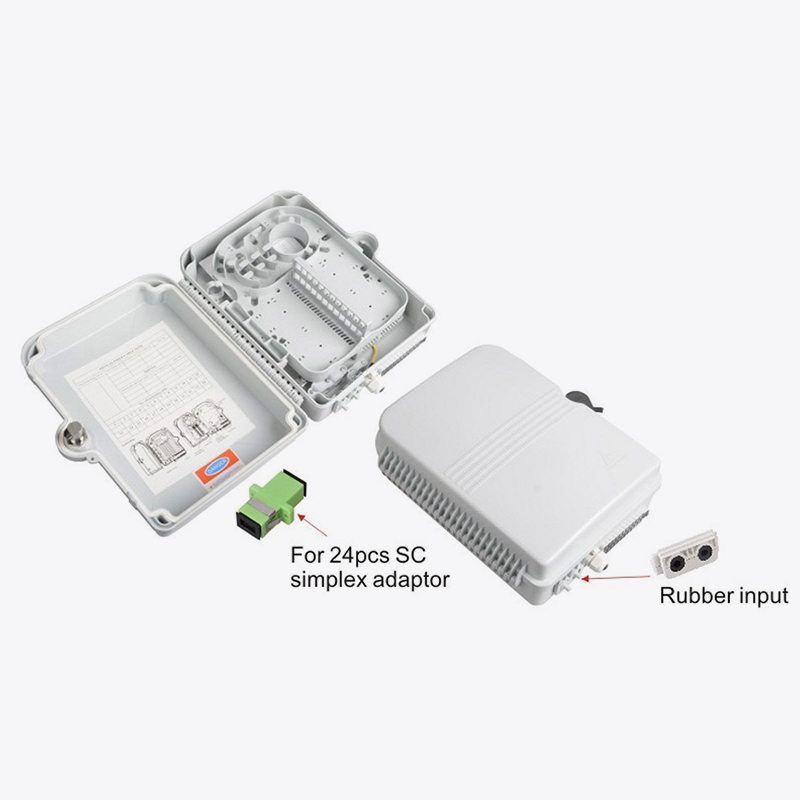
This article looks at three enclosure types commonly used across access networks: fiber optic box-ftth units for distribution points, fiber optic terminal box designs for subscriber termination, and ftth box-smc series enclosures built for outdoor exposure. Understanding how each fits into a network helps installers reduce truck rolls and helps planners specify the right hardware the first time.
Field observation: Networks that standardize enclosure types across a region report fewer repeat service calls, largely because technicians recognize the internal layout instantly and avoid mis-splicing during repairs.
Fiber Optic Box-FTTH: Core Functions and Design Considerations
A fiber optic box-ftth unit sits at the boundary between the feeder network and the drop segment. Its main job is to hold splice trays, manage slack fiber, and provide a clean transition point where technicians can access individual fibers without disturbing others.
Typical internal layout
- Splice tray section with individual fiber routing channels
- Slack storage loop sized to keep bend radius within safe limits
- Sealed cable entry ports for both feeder and drop cables
- Labeling area for fiber count and port assignment
Where installers see the most value
In multi-dwelling deployments, a fiber optic box-ftth unit often serves as the last shared point before fiber splits toward individual units. Because the box is opened repeatedly over a building's service life, tray design that allows single-fiber access without full tray removal saves measurable time on each visit.
| Deployment context | Typical fiber count | Access frequency |
|---|---|---|
| Single-family drop | 1 to 4 fibers | Low |
| Multi-dwelling riser | 8 to 24 fibers | Moderate to high |
| Small business cluster | 4 to 12 fibers | Moderate |
Fiber Optic Terminal Box: Deployment Scenarios That Matter
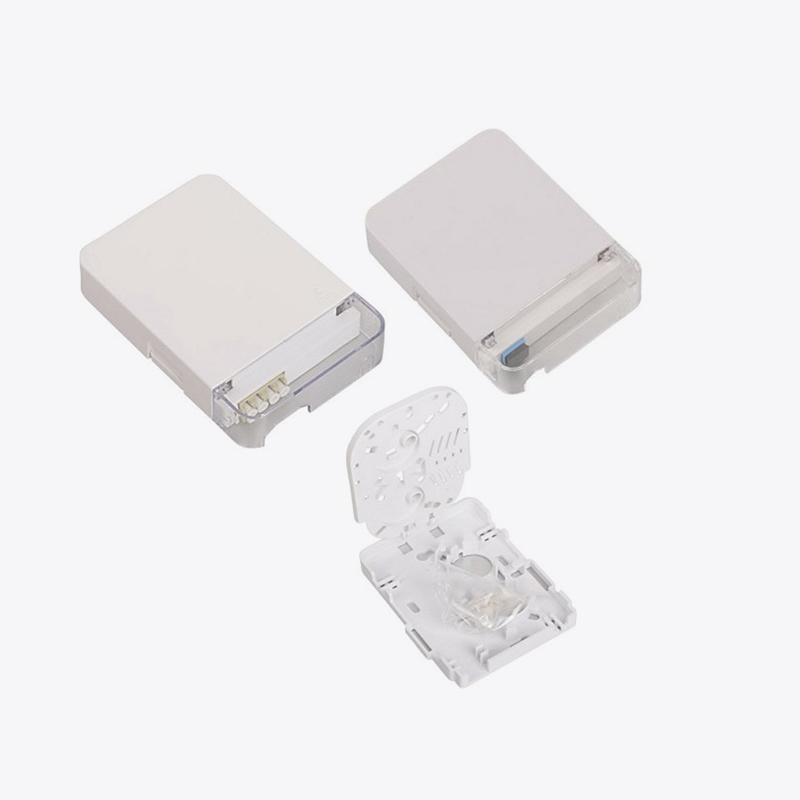
A fiber optic terminal box is generally the final enclosure before fiber enters a customer premises. Unlike distribution boxes, it is optimized for a small number of ports and frequent single-subscriber activation rather than shared maintenance.
Wall-mount versus pole-mount placement
Wall mount terminal boxes are common in urban corridors where drop cable runs are short and predictable. Pole-mount versions are chosen when aerial drops are the standard method, and they need stronger strain relief at the entry point because wind load transfers directly to the cable jacket.
Because a fiber optic terminal box is opened at the moment a subscriber is connected, ease of access matters as much as protection. Boxes with tool-free latches reduce activation time, which matters at scale when hundreds of connections are scheduled in a single week.
FTTH Box-SMC Series: Why Material Choice Affects Lifespan
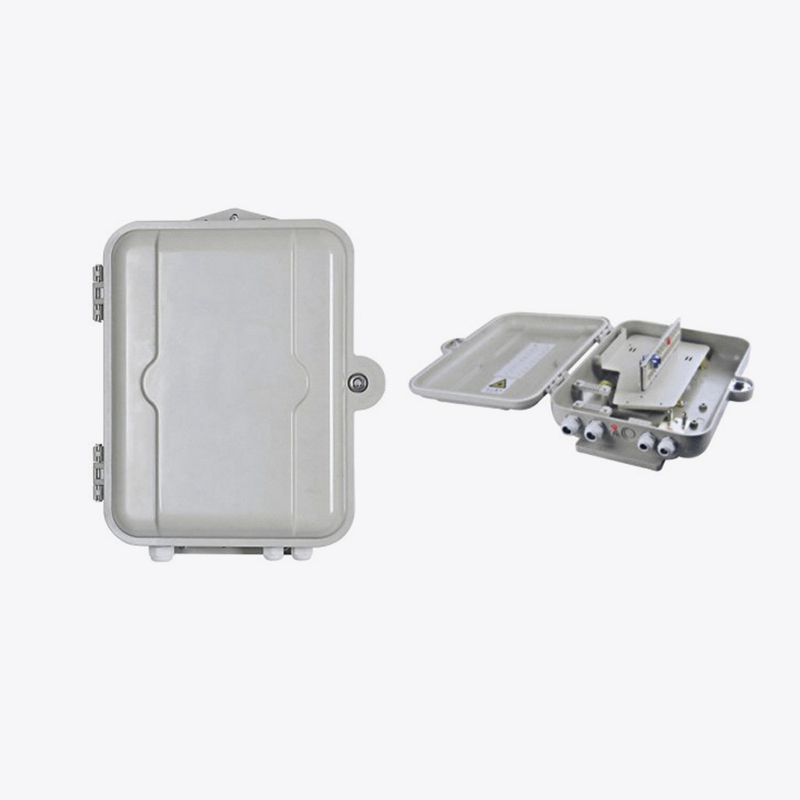
Sheet molding compound, commonly shortened to SMC, is chosen for outdoor enclosures because it resists ultraviolet degradation and temperature swings better than many standard plastics. An ftth box-smc series unit is typically specified in regions with strong sun exposure or wide seasonal temperature ranges, since brittle plastic housings are a recurring cause of field failures after several years outdoors.
Practical advantages reported in outdoor deployments
- Reduced housing cracking after repeated thermal expansion cycles
- Stable gasket seating, which keeps internal humidity low
- Consistent mounting hardware fit even after years of exposure
Maintenance note: Enclosures rated for outdoor exposure still require periodic gasket inspection. A properly sealed box that has been reopened without reseating the gasket correctly is a common source of moisture-related signal loss.
Comparing Enclosure Types Side by Side
The table below summarizes how the three enclosure categories differ in placement, primary function, and typical service interval.
| Enclosure type | Primary placement | Main function | Typical service interval |
|---|---|---|---|
| Fiber Optic Box-FTTH | Distribution point | Splice management and slack storage | Infrequent, shared access |
| Fiber Optic Terminal Box | Subscriber entry point | Final termination and activation | Once per activation, occasional repair |
| FTTH Box-SMC Series | Outdoor pole or wall mount | Weather-resistant housing for either function above | Periodic gasket check |
How Proper Cable Management Extends Network Life
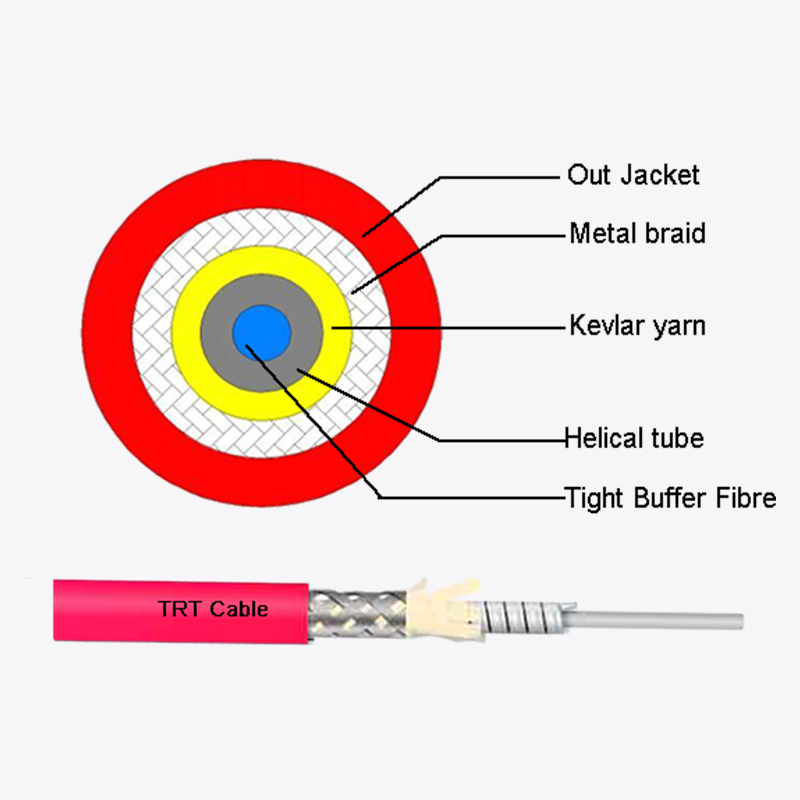
Fiber optic cable management inside any enclosure follows the same underlying rule: avoid tight bends, keep slack organized, and separate fibers that are not being worked on from those currently in use. A fiber optic tray cable system that ignores minimum bend radius will show increased attenuation long before a visible fault appears.
Signal path through a typical FTTH segment
The diagram below illustrates how an optical fiber network cable travels from a central distribution point through a terminal enclosure and into a subscriber premises.
Checklist for stable installations
- Confirm minimum bend radius is respected at every tray entry
- Label each fiber at both ends before closing the enclosure
- Store slack loops flat, not twisted, to avoid micro-bend loss
- Reseat gaskets fully after any inspection or repair
- Group unused fibers separately from active ones for faster future work
Frequently Asked Questions
Q1: What distinguishes a distribution enclosure from a terminal enclosure?
A distribution enclosure typically manages multiple fibers serving several subscribers and is accessed less often, while a terminal enclosure handles the final connection to a single subscriber and is opened at the point of activation.
Q2: Why do outdoor enclosures need a different housing material than indoor ones?
Outdoor units face continuous ultraviolet exposure and temperature swings that indoor housings never encounter, so materials selected for outdoor use are chosen specifically to resist cracking and gasket failure over years of exposure.
Q3: How often should a sealed enclosure be inspected?
There is no fixed universal interval, but any enclosure that has been opened for repair should have its gasket checked immediately afterward, and outdoor units benefit from a periodic visual inspection during routine network maintenance.
Q4: What causes most signal loss inside a splice enclosure?
Excessive bending of fiber below its minimum bend radius and poor slack management are the most common causes, often appearing gradually rather than as a sudden failure.
Q5: Can the same enclosure type be used for both aerial and wall-mount installation?
Some enclosures are designed for multiple mounting methods, but strain relief and entry port orientation should always be checked against the specific installation method before deployment.
 Address:Zhong'an Road, Puzhuang Town, Suzhou City, Jiangsu Prov., China
 Phone:+86-189 1350 1815
 Tel:+86-512-66392923
 Fax:+86-512-66383830
 Email:[email protected]
 Wechat: xiaobin18913501815
 whatsapp: +86 18913501815

 0
0